

A bigger pen display can be tempting.
More screen sounds like more room to work, more space for tools, and more freedom when a project gets complicated. But once you move beyond the simple idea that “bigger is better,” the choice becomes less obvious.
A professional artist does not work in the abstract. They work at a desk, at a particular viewing distance, with a particular type of software and a particular kind of artwork. Some spend hours refining line work. Others switch between painting, references, layers, timelines, or 3D tools.
So the better question is not whether 19 inches is large.
It is whether 19 inches gives you enough working space for the way you actually create.
For many professional workflows, it can.
What does “enough” actually mean?
When people compare display sizes, they often focus on physical dimensions first. A larger screen obviously gives you more surface area. But usable workspace is not determined by size alone.
A good pen display needs to balance the amount of drawing space with how comfortably you can see and interact with it.
That is particularly relevant on a desk. A display that takes over your entire workspace may give you more physical area, but it can also change your viewing distance, leave less room for other equipment, and become harder to move when your working environment changes.
The goal is not maximum size.
The goal is enough space to work naturally without making everything around the work more difficult.
A 19-inch display can provide a focused working area
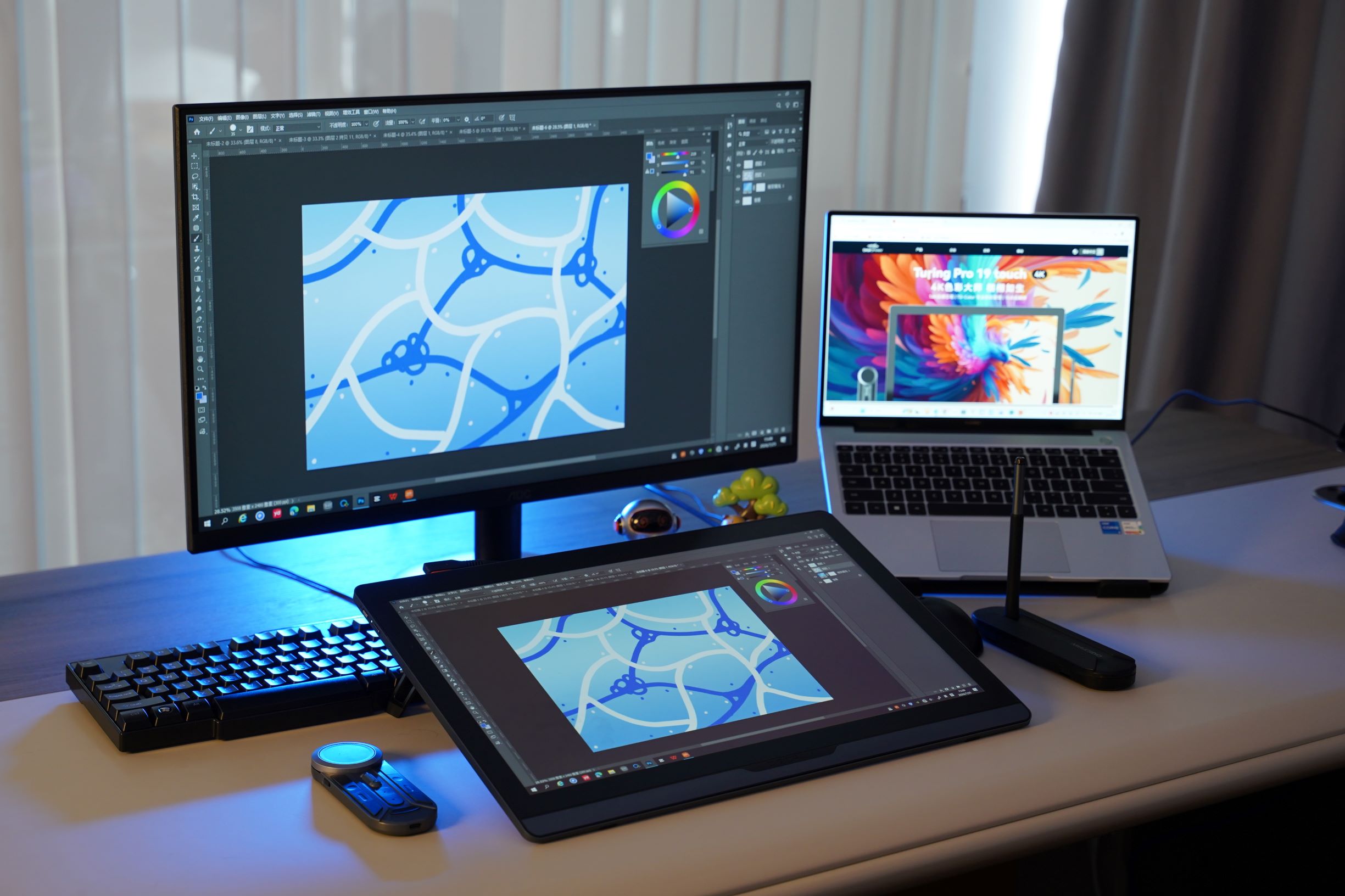
For professional creative work, larger is not automatically better, and smaller is not automatically more practical.
A 19-inch display can provide enough room for detailed work without taking over the entire desk. At a close working distance, it can also keep the field of view relatively focused rather than spreading the canvas across an unnecessarily large surface.
There is another practical consideration: mobility.
Not every creator works in exactly the same place all the time. A display that is easier to move between spaces can be useful when a setup changes. DIGIDRAW Turing Pro 19 campaign specifically positions 19 inches as a balance between sufficient creative workspace, a focused field of view, and practical movement, rather than treating screen size as a simple race to go bigger.
That distinction matters.
A larger display may give you more room. A 19-inch display may give you enough room without making the workspace harder to manage.
Resolution still matters within that space
Screen size only tells you how much physical area you have. It does not tell you how much detail you can see.
Resolution is the total number of pixels on the screen. Common levels include Full HD, QHD or 2.5K, and 4K. Higher resolution can make fine details, edges, and small elements easier to see, particularly when working on detailed creative projects.
PPI matters as well.
PPI, or Pixels Per Inch, describes how densely those pixels are packed. Two screens can have the same resolution but different pixel densities, which can affect how refined curves, edges, and small details appear.
This is where a 19-inch display can make an interesting case.
You do not necessarily need a physically huge screen to create a detailed working environment. A 19-inch display can combine a manageable physical footprint with a high-resolution image.
For creators who spend a lot of time refining small details, that combination can matter more than simply adding several more inches to the panel.
Color becomes more important as the work becomes more professional
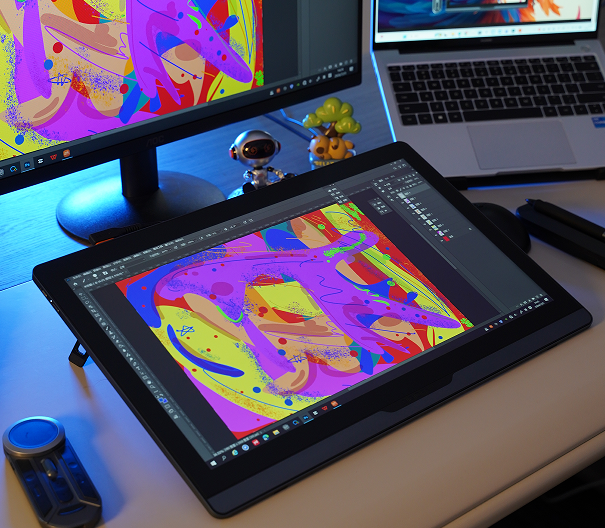
A larger screen does not automatically produce better color.
For professional visual work, it is useful to distinguish between color gamut and color accuracy.
Color gamut describes the range of colors a display can reproduce. Common standards include sRGB, Adobe RGB, and DCI-P3. A wider gamut can provide access to a broader range of colors, but it does not automatically mean those colors are being displayed accurately.
Color accuracy is about how closely displayed colors match the intended colors, and Delta E is commonly used to describe color differences. In general, a lower Delta E indicates a smaller color difference.
This becomes especially important for illustrators, designers, photographers, and other visual professionals.
The screen is not simply where you look at the work. It is where you make visual decisions.
The pen still has to keep up with your hand
 There is another reason screen size should not be considered on its own.
A professional pen display is still a drawing instrument.
Pressure sensitivity, tracking, report rate, and tilt recognition all contribute to the way the pen translates hand movements into digital strokes. A high pressure-sensitivity number alone does not guarantee a better drawing experience; sensor quality, pressure-curve tuning, driver optimization, and software compatibility also matter.
The same is true of responsiveness.
Report rate describes how often the device updates the pen's position, but actual responsiveness depends on a chain of factors that includes the pen technology, driver, display, and computer.
That is why a larger display can be the wrong upgrade if the things that matter most to your work are elsewhere.
If your priority is precise line control, smooth pressure transitions, or responsive brush movement, improving the pen experience may be more noticeable than adding several inches of screen.
The distance between the pen and the image also matters
A pen display should not make you feel like you are drawing on top of a separate layer of glass.
Traditional display structures can have space between the protective glass, display panel, and sensing layer. That gap contributes to parallax—the visual distance between where the pen tip is and where the cursor or artwork appears.
Full lamination reduces the space between those layers and helps create a more direct connection between the pen and the image.
That can be particularly useful for detailed line work, lettering, technical sketches, and other precision-oriented tasks.
And again, this has little to do with whether the display is 19, 22, or another size.
The drawing experience comes from how the parts of the system work together.
Surface treatment becomes noticeable during long sessions
A display can look excellent in a quick comparison and still become tiring during a long working session.
Reflections from windows or studio lighting can interfere with what you are seeing. Fingerprints and surface marks can also become distracting after hours of use.
Anti-glare treatment helps reduce reflections from surrounding light sources, while anti-fingerprint treatment helps reduce visible residue on the surface. These features do not directly increase resolution or color accuracy, but they can affect everyday usability.
For someone who only uses a pen display occasionally, those details may not be decisive.
For someone using one throughout the day, they become part of the experience.
Your workflow should determine the size you buy
There is no single display size that works equally well for every professional creator.
An illustrator working mainly on detailed artwork may have different priorities from a 3D artist managing a large interface, references, timelines, and multiple tools.
The material in our product-selection guide makes the distinction fairly clear:
Illustrators tend to prioritize color accuracy, drawing area, pressure performance, and low latency.
Photographers and designers place greater emphasis on resolution, color gamut, color accuracy, and color management.
Animators and 3D artists may value larger working areas, fast response, precise tracking, and software compatibility.
That means the “right” screen size depends partly on what occupies your screen.
If your work requires a lot of interface space at the same time as the canvas, a larger display may make sense.
If your work is more focused on the canvas itself and you want a professional setup that remains reasonably manageable on a desk, 19 inches can be a very reasonable choice.
So, can a 19-inch pen display be enough for professional work?
Yes—but “enough” depends on the work.
A 19-inch display can be sufficient for professional work when it gives you the drawing area you actually need, maintains clear detail, provides the color performance your workflow requires, and works comfortably with your pen and software.
There is no rule saying professional work starts at a particular screen size.
Professional capability comes from the complete system.
That is an important distinction because it changes how you compare products. Instead of asking:
“Is a 19-inch display smaller than a 22-inch display?”
you can ask:
“Will a 19-inch display give me enough room to work without compromising the parts of the experience that matter more?”
For some creators, the answer will be yes.
Where the DIGIDRAW Turing Pro 19 fits
This is the thinking behind DIGIDRAW's positioning of the Turing Pro 19.
DIGIDRAW Turing Pro 19 is a 19-inch True 4K creative display positioned around a practical balance between workspace, detail, professional capability, and usability. The current campaign places particular emphasis on the combination of 19 inches, True 4K, and a $695 limited-time price.
The product also comes with the K30 portable shortcut controller, designed to make shortcuts easier to access during a workflow. It also includes a professional color-management solution and color calibrator, with the campaign specifically highlighting multi-display color consistency as an important consideration for professional creators.
The intended creative applications include illustration, game and concept art, 3D modeling, product design and prototyping, graphic design, concept design, and other professional digital creative work.
The point is not that every professional artist should choose 19 inches.
It is that 19 inches does not automatically put you outside professional territory.
For some creators, it may be the size that gives them enough workspace while keeping the rest of the setup manageable.
The right question is not “How big can I go?”
When choosing a professional pen display, screen size is only one part of the equation.
You still need to think about:
How much drawing area do I actually use?
How important are resolution and pixel density to my work?
How accurate do my colors need to be?
How responsive does the pen need to feel?
How much time do I spend working on the display?
How much space do I have on my desk?
And perhaps most importantly:
Does the display help me work, or does the display itself become something I have to manage?
A 19-inch pen display can absolutely be enough for professional work when those answers line up with its strengths.
The best size is not necessarily the largest one you can fit on the desk.
It is the one that gives you enough room to create, enough precision to work confidently, and enough practicality that the hardware fades into the background once the work begins.
FAQ
Is 19 inches too small for professional digital art?
Not necessarily. Professional suitability depends on the drawing area, resolution, pen performance, color requirements, software workflow, and working environment rather than screen size alone.
Is a larger pen display always better?
No. A larger display can provide more workspace, but the better choice depends on your workflow, working environment, and the balance between screen area and practicality.
What matters more than screen size?
There is no universal answer. Illustrators may prioritize pressure performance, low latency, color accuracy, and drawing area. Designers and photographers may care more about resolution and color performance, while 3D and animation workflows may place greater emphasis on workspace, responsiveness, tracking, and software compatibility.
Is 4K useful on a 19-inch pen display?
4K provides a higher pixel count than QHD or 2.5K, but the visible benefit also depends on pixel density and the kind of work being done. For detailed creative work, higher resolution can help make fine elements easier to see.